 VideoAny
Wan 2.7 Spicy Model
Start creating expressive motion with an uncensored ai video generator that prioritizes your creative control. The VideoAny workbench lets you upload a first frame and describe the exact subject action you want, without restrictive filters limiting your scene. Use this uncensored ai video generator to explore portrait animation, environmental storytelling and subtle character performances through the Wan 2.7 Spicy model. Prefer a dedicated still-to-clip desk? Use image-to-video without the filter on the same authorized photo.
An uncensored ai video generator removes unnecessary guardrails that often block legitimate artistic exploration, giving you direct authority over motion, expression and scene composition. With VideoAny, you describe the precise action and camera direction, and the Wan 2.7 Spicy model interprets your prompt faithfully. This uncensored ai video generator workflow helps concept artists, filmmakers and animators iterate on nuanced performances without fighting automated content rejections.
01
The core advantage of an uncensored ai video generator is unrestricted prompt interpretation, allowing you to describe nuanced actions and atmospheric shifts without automated rejection. VideoAny with Wan 2.7 Spicy processes your motion description directly, so a subtle glance, a flowing fabric detail or a dramatic lighting change renders as requested. Artists choose an uncensored ai video generator when the scene demands authentic, unfiltered expression.

02
Every generation in this uncensored ai video generator begins with a first-frame image you supply, establishing composition, subject placement and color palette before motion is added. Upload a portrait, environment still or character render, then describe the action. Because an uncensored ai video generator preserves your original framing, you maintain visual continuity across multiple iterations and scene variations.

03
The VideoAny workbench turns an uncensored ai video generator into a responsive creative partner. Submit a task, review the completed clip in generation history, and adjust your prompt or first frame based on what you observe. This iterative loop means an uncensored ai video generator supports progressive refinement, helping you dial in the exact motion timing and subject performance your project requires.
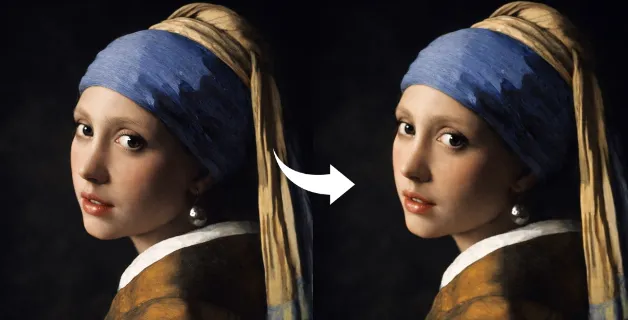
From subtle portrait breathing to dynamic environmental shifts, an uncensored ai video generator supports a wide range of visual storytelling tasks. You might animate a painted portrait for a gallery installation, add gentle water motion to a boat scene, or introduce drifting light across an architectural courtyard. Each scenario benefits from the unfiltered prompt interpretation that an uncensored ai video generator provides, letting you refine mood and timing without arbitrary constraints.
After your uncensored ai video generator task completes, inspect framing, subject detail and visual consistency in the result before refining the input. Download the clip from your generation history and test it in your editing timeline or compositing tool. If the motion needs adjustment, return to the workbench, tweak the prompt or upload a revised first frame, and let the uncensored ai video generator produce a new variation. You can undress the still before a clip, restyle the source photo, or lock the bikini look then clip.
Gentle portrait head turn

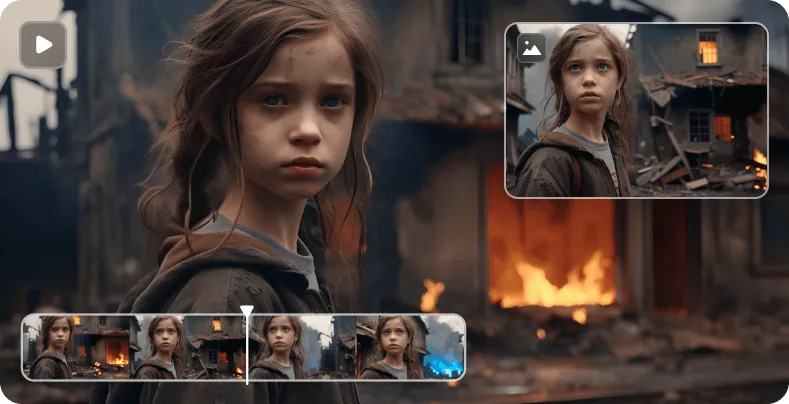
Slow camera push-in

Water ripple and boat sway
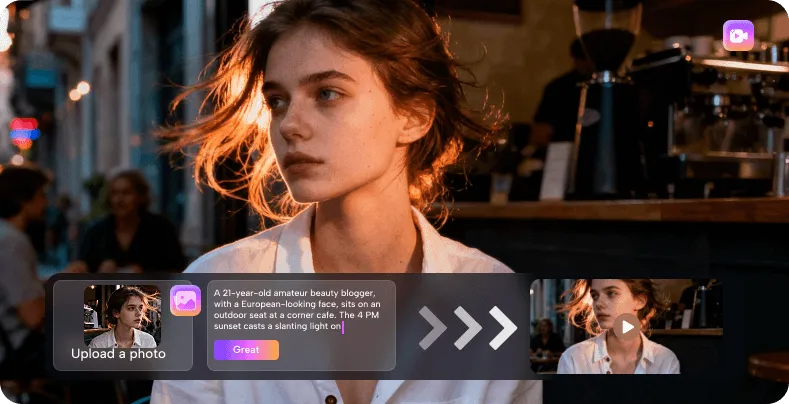
Courtyard shadow drift
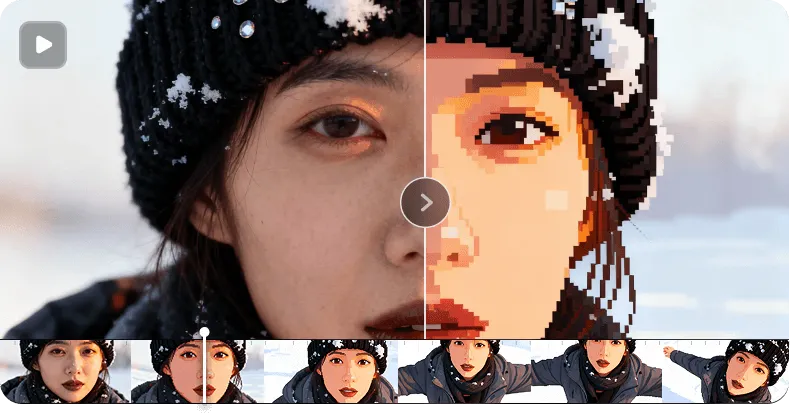
Character micro-expression loop
Effective prompts for an uncensored ai video generator combine a short subject action with a clear camera direction. Start with a single motion verb and one framing instruction, then review the clip before adding complexity. The Wan 2.7 Spicy model responds well to concrete descriptions, so an uncensored ai video generator session benefits from iterative testing rather than overloaded initial prompts.
Understanding how an uncensored ai video generator fits into your creative pipeline helps you make informed decisions about model selection and prompt strategy. The Wan 2.7 Spicy model in VideoAny interprets motion prompts directly, without imposing content restrictions that limit artistic range. Below are common questions about using an uncensored ai video generator for portrait animation, environmental motion and character performance tasks. You can undress the still before a clip, restyle the source photo, or lock the bikini look then clip.
An uncensored ai video generator is a motion synthesis tool that interprets your prompt without imposing restrictive content filters, giving you direct creative authority over the output. In VideoAny, the Wan 2.7 Spicy model serves as the uncensored ai video generator engine, processing your first-frame upload and motion description faithfully. This approach suits artists who need unfiltered control over expression, atmosphere and scene dynamics. If garments are still on the first frame, remove clothing on the source still before you animate.
The first-frame upload establishes the visual foundation for your uncensored ai video generator task. You supply a still image that defines composition, subject placement and lighting, and the Wan 2.7 Spicy model generates motion starting from that exact frame. This means every output from the uncensored ai video generator inherits your original framing, making it easy to maintain visual continuity across multiple iterations.
Short, concrete prompts that combine one subject action with one camera direction tend to produce the most controllable results from an uncensored ai video generator. Instead of overloading the prompt with multiple simultaneous movements, describe a single clear action and review the clip before adding complexity. The Wan 2.7 Spicy model in this uncensored ai video generator responds well to iterative refinement.
Generation tasks in this uncensored ai video generator consume account credits, with the cost displayed in the workbench before submission. Completed tasks appear in your generation history for preview and download. Review the platform's terms regarding output usage for your specific project type, as rights depend on your account agreement with VideoAny.
Improving motion consistency starts with a well-composed first frame and a focused prompt in your uncensored ai video generator session. If the output shows unwanted warping or composition drift, simplify the prompt to a single motion verb and test again. The Wan 2.7 Spicy model benefits from incremental adjustments, so treat each uncensored ai video generator task as a step toward the final performance.
Portrait subjects, environmental scenes and architectural compositions all respond well to the Wan 2.7 Spicy model in this uncensored ai video generator. The example clips show portrait animation, a boat portrait and an architectural courtyard portrait, demonstrating the model's range. Choose subjects with clear focal points and lighting that supports the motion you want to introduce.
Completed tasks from your uncensored ai video generator sessions appear in the generation history panel within VideoAny. From there you can preview each clip, download the output and compare iterations side by side. Submitting a generation task requires an authenticated account, and the task cost is shown in the workbench before you confirm submission.
This tutorial walks through a complete uncensored ai video generator session in VideoAny. Begin by uploading a first-frame image that establishes your composition, then write a motion prompt describing the desired action and camera move. Submit the task and monitor generation history for the completed clip. An uncensored ai video generator rewards careful input design, so inspect each result and adjust your prompt iteratively.
These editorial notes document typical input strategies for an uncensored ai video generator, based on common creative workflows. Each note describes a prompt approach, framing decision or result review technique observed during iterative testing. Use them as reference points when planning your own uncensored ai video generator sessions in VideoAny.
Testing subtle expression changes with an uncensored ai video generator reveals how small prompt adjustments affect eye movement and micro-expressions. Start with a neutral portrait first frame and describe a slow blink or slight smile, then compare the output against a wider expression prompt. An uncensored ai video generator lets you study these nuances without content filters blocking legitimate performance exploration.
Expression Study
Prompt iteration note
When testing camera directions in an uncensored ai video generator, pair a simple subject action with one clear camera move like a slow push-in or a gentle pan. Review the result for framing stability before adding secondary motion. The Wan 2.7 Spicy model interprets camera language directly, making this uncensored ai video generator useful for previz and shot planning.
Camera Motion Test
Framing observation
Adding environmental motion through an uncensored ai video generator transforms a static scene into a living moment. Describe water ripples, drifting leaves or shifting cloud shadows while keeping the subject action minimal. This uncensored ai video generator approach preserves the original composition while introducing atmospheric depth that supports the narrative mood.
Environmental Dynamics
Scene composition note
A portrait performance benefits from the unfiltered interpretation that an uncensored ai video generator provides. Upload a character render and prompt for a head tilt with a knowing glance, then review how the motion reads at different speeds. Because an uncensored ai video generator does not restrict expression range, you can explore the full emotional spectrum your character requires.
Portrait Performance
Character motion study
Building an effective iteration strategy with an uncensored ai video generator means treating each generation as a learning step. Start broad with a simple prompt, identify what works in the output, then refine one variable at a time. This disciplined approach helps you understand how the Wan 2.7 Spicy model responds within an uncensored ai video generator workflow.
Iteration Strategy
Workflow refinement note
Every creative project benefits from tools that respect your vision, and an uncensored ai video generator provides the direct control that complex scenes demand. Open the VideoAny workbench, select the Wan 2.7 Spicy model, and upload your first frame to begin. With an uncensored ai video generator, you decide what motion belongs in your story.
This website is an independent third-party platform. We are not affiliated with, endorsed by, or officially representing any AI model providers referenced on this site. All trademarks and brand names belong to their respective owners.
© 2026 VideoAny. All rights reserved. ACKERMAN TECH SOLUTIONS LLC