Portrait painting animation reference
 VideoAny
Image-to-Video Workbench
VideoAny provides a focused image-to-video workbench where you upload a starting frame and describe the motion. This ai video generator turns a single image into a moving clip using the Wan 2.7 Spicy model. You control the subject action and camera direction before submitting the task. Every generation uses account credits, and the cost appears clearly in the workbench. An authenticated account is required to submit a task. This ai video generator helps you inspect framing, subject detail and visual consistency in each result before refining the input.
An ai video generator removes the need for complex timeline editing when you want to bring a still image to life. With VideoAny, you supply a first frame and a short motion prompt, then let the Wan 2.7 Spicy model produce the clip. The workbench shows the credit cost before submission, so you always know the resource requirement. Completed tasks stay in your generation history for preview and download. This ai video generator encourages you to start with a simple subject action and a clear camera direction, then review the clip before adding complexity.

01
The workbench starts with a first-frame upload that sets the visual foundation for your clip. This ai video generator uses the image you provide as the only source of subject, lighting and composition data. Choose a frame with a clear focal point and enough background for the intended motion. VideoAny shows a preview before you proceed, and the Wan 2.7 Spicy model reads the uploaded content to guide the generation. This ai video generator works best when the first frame already contains the elements you want to animate.

02
After uploading, you write a motion prompt and select the Wan 2.7 Spicy model for the task. This ai video generator interprets your text together with the starting frame, so keep the prompt short and specific. The workbench displays the credit cost before submission, giving you a clear view of the resource requirement. An authenticated account is needed to submit the task. This ai video generator puts the prompt and model controls on one screen so you can adjust them quickly between generations.

03
Every completed task appears in your generation history, where you can preview the clip and download the output. This ai video generator keeps your previous results organized so you can compare versions and track your prompt changes. The Wan 2.7 Spicy model produces each clip based on the frame and prompt you supplied, and the history lets you revisit any task. This ai video generator encourages you to review framing, subject detail and visual consistency before moving on to the next idea.
The reference clips on this page show portrait animation, a boat portrait and an architectural courtyard portrait. These existing site examples illustrate how different starting images can suggest distinct motion directions. An ai video generator responds to the visual content of your uploaded frame, so a painted portrait may suit gentle head turns while a courtyard scene can carry a slow dolly move. Use these examples to imagine your own first-frame choices. This ai video generator works best when you match the motion prompt to the subject and setting already present in the image.
Once you have a clip you like, use the same starting frame with a different camera direction to build a short sequence. An ai video generator can produce variations that show the same subject from multiple angles when you change the prompt slightly. Try a close-up expression shift after a wide dolly shot, or reverse the camera move to create a looping clip. VideoAny keeps your previous tasks in generation history, so you can compare versions side by side. This ai video generator rewards iterative experimentation where each new prompt builds on what you learned from the last result.
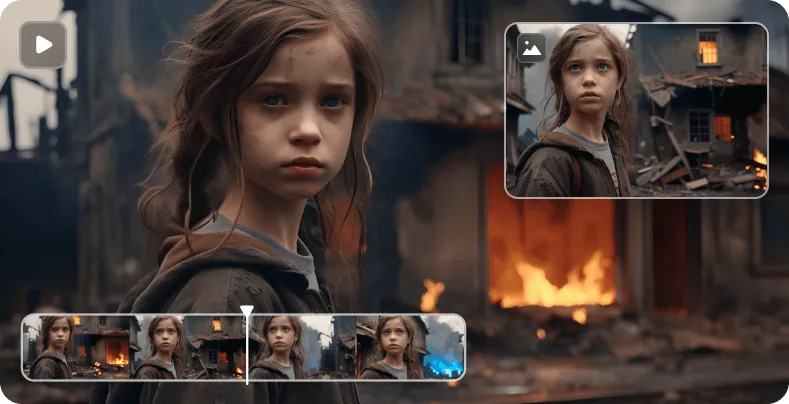
Slow head turn variation

Gentle dolly forward variation

Subtle expression shift variation
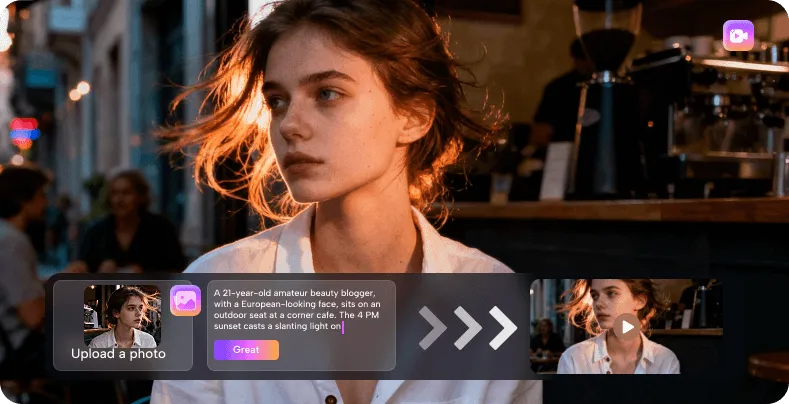
Wide pan across scene variation
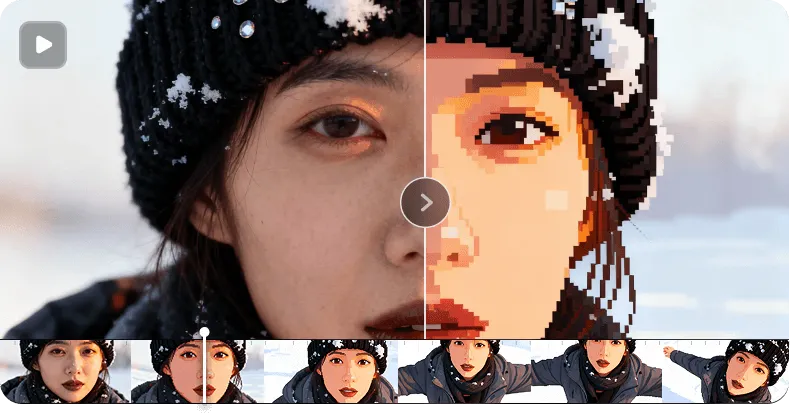
Close-up blink variation
Strong results from an ai video generator start with a well-framed image and a prompt that matches the scene. Choose a starting frame where the subject is fully visible and the background has enough detail to support the camera move. Write one short action and one camera direction, then review the clip before adding secondary motion. The Wan 2.7 Spicy model responds to clear, simple language, so avoid vague or contradictory instructions. This ai video generator shows the credit cost upfront, helping you plan your experiments without surprises.
New users often ask how to get consistent results from an ai video generator. The key is to treat each generation as a test of one idea: one starting frame, one action and one camera direction. VideoAny uses the Wan 2.7 Spicy model and shows the credit cost before submission, so you can plan your tasks. Completed clips appear in your history for preview and download. This ai video generator works best when you review each output carefully and adjust only one variable at a time.
An ai video generator reads the visual content of your uploaded frame and applies the motion you describe in the prompt. VideoAny uses the Wan 2.7 Spicy model to interpret subject position, depth cues and lighting, then generates a short clip that follows your instructions. The workbench shows the credit cost before submission, and completed tasks stay in your history. This ai video generator works with a single starting image, so the output quality depends on how clearly the frame and prompt work together.
Choose a still image with a clear subject and enough surrounding space for the motion you plan to request. The ai video generator needs visual information to animate, so avoid frames with heavy blur, cropped edges or cluttered compositions. A well-lit portrait, a vehicle against an open background or a courtyard with visible depth cues all give the Wan 2.7 Spicy model strong material to work with. This ai video generator performs best when the first frame already contains the elements you want to set in motion.
Write one short subject action and one clear camera direction, using simple language that the ai video generator can interpret reliably. Avoid contradictory instructions such as asking for a zoom out while the camera moves forward. This ai video generator lets you test one idea per generation, so you can refine the wording after seeing the first result.
Reviewing the clip helps you spot framing shifts, subject drift or motion speed issues that the ai video generator may introduce. VideoAny encourages you to inspect facial detail, straight lines and overall consistency before changing the prompt or uploading a new frame. The Wan 2.7 Spicy model responds to the uploaded image and prompt together, so small adjustments can make a big difference. This ai video generator saves every task in your history, making it easy to compare versions and choose the best output.
Every generation task in VideoAny uses account credits, and the exact cost appears in the workbench before you submit. An authenticated account is required to start a task. The ai video generator shows the credit amount upfront, so you can decide whether to proceed or adjust your settings. Completed tasks remain in your generation history for preview and download without additional credit charges. This ai video generator gives you full visibility into the resource cost before any work begins.
Yes, you can reuse the same starting frame with different motion prompts to build a sequence of related clips. The ai video generator treats each submission as a separate task, so you can test a slow pan, a close-up expression and a dolly shot from the same image. VideoAny keeps all versions in your generation history for side-by-side comparison. This ai video generator rewards iterative work where each new prompt explores a different camera direction or subject action.
Watch for consistent subject placement, natural motion speed and clean background rendering in every clip the ai video generator produces. The Wan 2.7 Spicy model can sometimes introduce subtle drift or distortion, especially with complex scenes. Inspect facial features, straight architectural lines and the edges of moving objects before you download. This ai video generator gives you the tools to review and refine, so take the time to check each result against your original prompt and starting frame.
The VideoAny workbench guides you through three clear stages: upload, prompt and review. An ai video generator turns your still image into motion, but the quality of the result depends on how you prepare each step. Start with a frame that has a clear subject and enough surrounding space for the intended movement. Write a motion prompt that names one action and one camera direction, then check the credit cost before submission. This ai video generator stores completed tasks in your history, so you can compare versions and download the best clip.
The following notes describe common generation tasks and what to watch for in the results. An ai video generator responds differently to portraits, outdoor scenes and architectural spaces, so each task type benefits from a specific approach. Use these editorial observations to guide your own prompt writing and frame selection. This ai video generator works best when you match the task to the strengths of the Wan 2.7 Spicy model and review each clip with a clear checklist.
When you ask an ai video generator to animate a portrait, start with a front-facing frame and a prompt that names one slow head movement. The Wan 2.7 Spicy model reads facial structure from the uploaded image, so even lighting and a neutral expression give the cleanest starting point. After generation, check the eyes and mouth for natural timing and avoid prompts that ask for speech or complex emotional shifts. This ai video generator produces the most convincing portrait motion when the action stays within the frame boundaries and matches the original pose.
Portrait Head Motion Task
Facial Animation Check
An outdoor scene with water, sky or distant landscape elements gives the ai video generator strong directional cues for camera movement. Upload a frame with a level horizon and a clear subject in the mid-ground, then describe a slow pan or a gentle tracking shot. The Wan 2.7 Spicy model interprets reflections and atmospheric light, so review the clip for consistent water ripple and cloud movement. This ai video generator works well when the prompt respects the natural motion already suggested by the scene.
Outdoor Scene Task
Background Motion Check
Architectural scenes with columns, arches and floor patterns challenge the ai video generator to maintain straight lines during camera movement. Choose a frame with clear vanishing points and a subject placed off-center for a balanced composition. Describe a slow dolly or a subtle parallax move, then inspect the result for bending lines or perspective shifts. This ai video generator can produce a convincing spatial reveal when the prompt keeps the camera move simple and the uploaded frame has strong depth cues.
Architectural Space Task
Perspective Consistency Check
A tight close-up works best when the ai video generator focuses on one small expression change, such as a slight smile or a slow blink. Upload a frame with soft, even lighting and minimal background detail so the Wan 2.7 Spicy model can concentrate on the facial features. Write a prompt that names the change and a short duration cue, then review the clip for natural transitions around the mouth and eyes. This ai video generator rewards restraint; a single subtle shift often looks more convincing than a dramatic transformation.
Expression Change Task
Subtle Motion Check
When you use the same starting frame for multiple clips, the ai video generator can help you build a short sequence with different camera angles. Start with a wide establishing shot, then try a medium close-up and a detail shot, changing only the camera direction in each prompt. VideoAny keeps all versions in your generation history, so you can compare the clips side by side. This ai video generator makes it practical to test a full shot list from one image before committing to a final edit.
Multi-Angle Sequence Task
Clip Consistency Check
VideoAny gives you a straightforward image-to-video workbench where every generation starts with your uploaded frame and a motion prompt. The Wan 2.7 Spicy model processes each task using account credits, with the cost shown before submission. Completed clips stay in your history for preview and download. This ai video generator helps you move from a single still image to a moving clip through a clear upload, prompt and review workflow. Return to the workbench to test a new camera direction or a different starting frame. This ai video generator is ready when you are.