
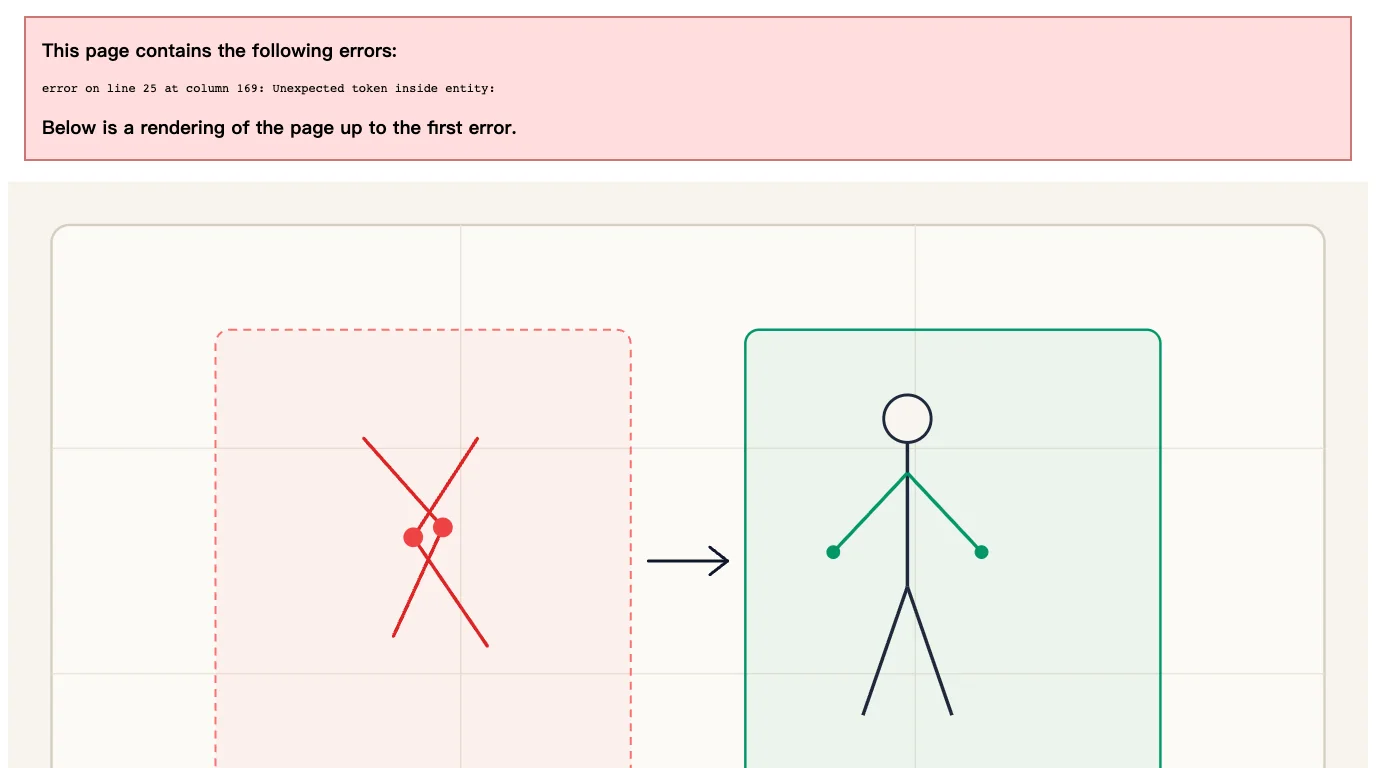
Fix Distorted Limbs in AI Couple Poses: A 6-Step Prompt Engineering Checklist
Prevent merged arms, extra fingers, and face drift in two-person AI poses. This 6-step engineering checklist uses spatial separation cues, contact-point syntax, and short motion windows for clean results.
| TL;DR | Detail |
|---|---|
| Problem | Merged arms, extra fingers, face drift in two-person AI poses |
| Solution | 6-step engineering checklist: still-first locking, spatial separation cues, contact-point syntax, short motion windows |
| Primary Tool | AI Pose Generator — fix poses in stills before animation |
| Secondary Tool | Animate Clean Reference Stills — short motion windows for clean video |
Visual framing in AI prompt engineering defines the spatial relationship between two subjects through camera angle, shot size, focal length, and lighting contrast. For two-person poses, this means using explicit geometry cues—like 'shoulder-width apart' or 'hands at chest level'—to prevent the model from merging limbs or adding extra digits. Proper framing locks the composition before any motion is introduced.
| Failure Mode | Cause | Fix |
|---|---|---|
| Merged arms | Subjects too close without separation cue | Add 'arms separated by 6 inches' or 'torso gap visible' |
| Extra fingers | Hand overlap or proximity | Negative prompt 'extra fingers, merged hands'; specify 'five fingers per hand' |
| Face drift | Long motion windows without reference still | Use still-first locking; limit motion to 2-4 seconds |
| Distorted limbs | Wide-angle lens (under 24mm) | Use 35-50mm focal length; specify 'from the knees up' |
Generate a reference still using the AI Pose Generator. This still defines exact limb positions, distances, and hand counts. Do not skip this step—motion without a locked still invites drift.
In your prompt, include explicit distance markers: 'two people standing 2 feet apart', 'shoulder-width gap', 'arms not touching'. This prevents the model from merging adjacent limbs.
If subjects touch, specify the exact contact point: 'hands palm-to-palm', 'fingers interlocked', 'shoulders touching'. Avoid vague terms like 'hugging' or 'holding hands' without geometry.
Use medium full shots (knee-up) with a 35-50mm lens. Add 'from the waist up' or 'from the knees up' to the prompt. A slight low angle (10-15 degrees) helps define limb overlap.
Always include: 'extra fingers, merged hands, distorted arms, missing limbs, face drift, blurry faces'. This explicitly tells the model what to avoid.
When animating, limit motion to 2-4 seconds. Longer windows increase the chance of drift and merging. Use the reference still as the first frame.
Fix Couple Pose with Spatial Separation
Recommended model: Seedance 2.0Two adults standing 2 feet apart, facing each other, arms at sides, hands visible with five fingers each, medium full shot from knees up, 35mm lens, soft diffused lighting, neutral background, high detail, sharp focusAvoid: extra fingers, merged hands, distorted arms, missing limbs, blurry faces, wide angle lens, low resolution
Animate Clean Reference Still with Short Motion
Recommended model: Wan 2.7 SpicyTwo adults from the previous still, slow gentle sway, arms remaining separated by 6 inches, hands visible, faces sharp, 2-second motion window, 35mm lens, consistent lighting, no limb mergingAvoid: extra fingers, merged hands, distorted arms, face drift, motion blur, long motion window
AI models often lack spatial reasoning for overlapping subjects. Without explicit separation cues, the model blends adjacent body parts—especially hands and arms—into a single mass. This is common when subjects are close or touching. Using spatial separation syntax and contact-point framing reduces this failure mode.
Still-first locking means generating a clean reference still image before any motion. This still acts as a spatial anchor, defining exact limb positions and distances. You then animate that still with short motion windows (2-4 seconds). This prevents drift because the model has a fixed geometry to interpolate from, rather than inventing limb positions during generation.
Extra fingers occur when the model misinterprets hand overlap or proximity. Use negative prompts like 'extra fingers, merged hands, distorted hands' and specify hand counts in the prompt (e.g., 'two hands visible, each with five fingers'). Also, avoid tight hand-to-hand contact without explicit syntax like 'hands touching palm-to-palm' or 'fingers interlocked'.
Medium full shots (knee-up) or American shots (thigh-up) with a 35-50mm focal length provide balanced spatial separation. Avoid extreme close-ups or wide angles below 24mm, which distort proportions. A slight low angle (10-15 degrees) helps define limb overlap. Use 'from the waist up' or 'from the knees up' in prompts for consistent framing.
Short motion windows (2-4 seconds) limit the temporal distance the model must interpolate. Longer windows increase the chance of drift, merging, or extra limbs because the model has to guess intermediate positions. By keeping motion brief, you preserve the spatial integrity of the reference still, reducing distortion in the final video output.
Start by generating a clean reference still with the AI Pose Generator using spatial separation cues. Then animate it with short motion windows using Animate Clean Reference Stills. For more advanced workflows, check our pricing for higher resolution and longer motion windows. This 6-step checklist is designed to work within VideoAny's current model capabilities—complex two-person overlaps still benefit from a clean reference still and short motion windows.
More Posts
AI Bikini Video Prompt: Golden-Hour Beach Motion Guide for 5-Second Clips
Master AI bikini video prompts with golden-hour 9:16 framing, controlled breeze, and shallow-water stability. Generate coherent 5-second clips from reference images.

AI Jiggle Physics Motion Prompt: Constrain Amplitude for Natural Body Bounce in I2V
Master the AI jiggle physics motion prompt to prevent jelly distortion. Learn camera framing, motion amplitude control, and I2V prompts for crisp 5-second clips on VideoAny.
AI Lingerie Image and Video Prompt Guide: Editorial Lighting & Camera Framing
Master AI lingerie image and video prompt guide for satin, lace, and sheer mesh. Learn boudoir studio lighting, 85mm shallow depth of field, and I2V motion prompts for clean animated clips.