VideoAny
Settings
Language
English
  • English
  • 中文
Privacy policyTerms of serviceRefund policy
50% OFF

Premium membership from $7.99 per week

Premium benefitsMore benefits
Fast generationHD outputAll image toolsAll video tools
VideoAny
  • Home
AI Creation
  • Image generation
  • Video generation
AI Tools
  • Video Edit
  • Video Extend
    +5s

    Model & settings

    Aspect Ratio

    Duration

    6s

    Resolution

    Prompt

    Enter text, describe the content, movement... (e.g. A 3D boy skateboarding in the park.)
    0/5000
    Credit cost

    Generate 1 video · 6 credits total

    Mini World Cup

    6479

    Pixel Protector

    2344

    Pink Reign

    2448

    Key Shot

    1941

    Armor Transformation

    7860

    Bread making process

    823

    Time Stop

    5905

    Cursed Wuxia

    10087

    Blade Runner

    6070

    Sea Glide

    3886

    Cleaning Water Gun UGC

    Amy UGC

    Jenny UGC

    Lucas UGC

    Mia UGC

    Ivy UGC

    Mila UGC

    Kelly UGC

    Jamy UGC

    Melania UGC

    Liam UGC

    Norman UGC

    Jenny UGC

    Lucas UGC

    Ann UGC

    Blender Smoothie UGC

    Protein Bar UGC

    ASMR Product Showcase UGC

    Electric Shaver UGC

    Solar Fountain UGC

    Hair Volumizer Brush UGC

    Acne Patch Skincare UGC

    Lash Beauty UGC

    Jessie UGC

    Action Camera Travel UGC

    Makeup Cleanser UGC

    Snack Watch-Party UGC

    Henry UGC

    Car Vacuum Cleaning UGC

    Christina TVC

    Product TVC

    Product TVC

    Lucy TVC

    Product TVC

    Betty TVC

    Product TVC

    Product TVC

    Product TVC

    Product TVC

    Mila Food TVC

    Packaged Food TVC

    Product TVC

    Product TVC

    Product TVC

    Product TVC

    Kelly TVC

    Lip Tint Product Launch

    Street Poster Product Launch

    Lucy Bag Tutorial

    Ivy Garment Steamer Tutorial

    Amy Cleaning Brush Tutorial

    Henry Air Fryer Tutorial

    Alice Tennis Racket Tutorial

    Nancy Herb Garden Tutorial

    Tom Product Tutorial

    Lily Coffee Tutorial

    Lily Label Maker Tutorial

    Liam Watch Tutorial

    Ethan Cordless Drill Tutorial

    Lily Vacuum Cleaner Tutorial

    Betty Air Cooler Problem & Solution

    Amy Solar Garden Light Problem & Solution

    Jamy Water Bottle Problem & Solution

    VideoAny Product Ads Problem & Solution

    Melania Food Problem & Solution

    Albert Auto Repair Problem & Solution

    Ann Snack Unboxing

    Watermelon Skincare Money Shot

    Pizza Food Money Shot

    Popcorn Bucket Money Shot

    Tide PODS Laundry Money Shot

    Product Money Shot

    Beverage Commercial Money Shot

    Product Money Shot

    Product Money Shot

    Dior Addict Lip Glow Oil Money Shot

    Sol de Janeiro Bum Bum Cream Money Shot

    LANEIGE Lip Sleeping Mask Money Shot

    Fruit Explosion Beverage Money Shot

    Nature Republic Aloe Vera Money Shot

    LUSH Intergalactic Bath Bomb Money Shot

    Jamy Workwear Streetwear Outfit Try-On

    Kelly white strapless mini dress Try-On

    Kim medium-blue denim trucker jacket Try-On

    Ava Powder-Blue Yoga Set Try-On

    Stella GUESS leopard-print faux fur shoulder bag Try-On

    Jessie Denim Set Try-On

    Noah silver vintage digital watch Try-On

    Max black nylon backpack Try-On

    Ethan silver Figaro chain necklace Try-On

    Lucas vintage Ivy League / old money outfit Try-On

    Sakura silver metallic shoulder bag Try-On

    Mia Y2K cat-ear beanie Try-On

    Ivy Lipstick Blush Makeup Try-On

    Sakura Charm Glasses Try-On

    Amy Press-On Nails Try-On

    Gee the Dog Pet Clothing Try-On

    Kelly Cinematic Fashion Outfit Try-On

    Yuki High-Fashion Outfit Try-On

    Ivy hot pink satin pointed-toe stiletto pumps Try-On

    Lucas black leather bomber jacket Try-On

    VideoAny AI

    All-in-one AI text-to-video assistant

    Turn stories, scripts, and camera ideas into moving visuals. VideoAny lets you explore styles and pacing from text, then keep refining in the same workbench.

    VideoAny
    Veo 3
    Kling AI
    PixVerse
    Vidu AI

    Futuristic city scene

    Close-up and material details

    Character story moment

    VideoAny turns any text into video

    Enter any text to explore animation, story moments, and cinematic scenes. Start with one concrete action, then add camera, lighting, and atmosphere.

    Example video · Nano Banana
    ✦A cinematic city scene unfolds as the camera follows two friends at sunset...Warm evening light moves across the skyline in a gentle cinematic shot...↗

    Start with one sentence

    Generate first, then refine your idea with visuals

    You do not need a complete storyboard at the start. VideoAny turns your prompt into a visual draft you can use to refine the subject, action, camera, and pacing.

    立即生成视频

    Shape creative visuals from text

    Break the path from text to visuals into clear, repeatable steps.
    ✦A cinematic character walks through a neon city in the rain...The camera follows the character as the lights begin to glow...↗
    01

    Turn text into video in seconds and see ideas come to life

    Enter a story or a few keywords and VideoAny helps you quickly build moving visuals for short films, animation, and cinematic scenes.

    立即生成视频
    ✦A baby bird hides under its mother’s wing as rain falls softly...Warm light moves across the feathers in a gentle close-up shot...↗
    02

    Fast, smooth, high-quality video generation

    Preview and iterate in one workflow instead of losing time switching between tools.

    立即生成视频
    ✦The viewer looks up, the character turns toward the camera...A hand-held camera gently pushes in as the scene changes...↗
    03

    Choose from a range of AI video styles

    Use prompts to control characters, scenes, lighting, and camera language, then refine the direction with the selected model's settings.

    立即生成视频
    ✦Create a polished video from your idea, right in the browser...Review the result, refine the prompt, and generate another version...↗
    04

    Create more efficiently online

    No extra software is needed. Open the VideoAny workbench to enter prompts, explore inspiration, and manage generation history.

    立即生成视频

    For every video creation scenario

    From social clips to product demos, validate the visual direction with text before deciding how to produce it.
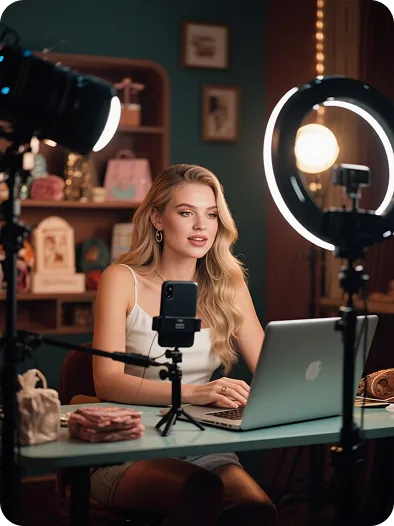
    Creators and influencers

    Creators and influencers

    Turn scripts, storyboards, or trending ideas into short videos ready for social testing.

    Brands and founders

    Brands and founders

    Explore product demonstrations and ad concepts with lower upfront production costs.
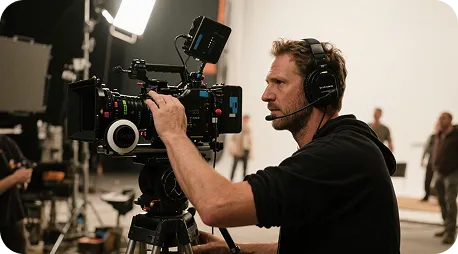
    Visual creators and directors

    Visual creators and directors

    Turn concepts, shots, and scenes into visual drafts before refining the final plan.

    Marketers and agencies

    Marketers and agencies

    Generate multiple visual directions quickly to compare rhythm, style, and composition for branded content.

    Educators and instructors

    Educators and instructors

    Turn lesson concepts and written content into motion visuals that are easier to demonstrate.

    Creator notes

    A real creative workflow, from inspiration to the first draft

    Write down the idea first, then use the generated result to discover more precise camera language. These cards show common workflows and are not claims about specific users or results.

    He Yuxuan

    E-commerce advertising operator

    “I break a script into camera prompts, generate several versions quickly, and choose the one with the right product rhythm.”

    Gu Zhiyuan

    Short-form video creator

    “It is quick to move from a written idea to a first visual draft, and the inspiration cards help me find new camera directions.”

    Li Peishan

    YouTube creator

    “I can refine the camera language of the same story prompt repeatedly, which makes different visual directions easier to compare.”

    Xu Ruizhe

    Student creator

    “From polished commercial looks to playful short-film styles, I can test a direction quickly with one prompt.”

    He Zhiyu

    Founder

    “I generate a promotional draft first, then adjust the visuals around the product's priorities. It is faster than starting with an empty timeline.”

    Wu Zhiqing

    Instructor

    “Turning an abstract lesson concept into a scene prompt makes visual ideas much easier to demonstrate in class.”

    Frequently asked questions

    Common questions about the text-to-video workflow.

    Text-to-video tutorial

    Start creating in three steps

    Text-to-video tutorial

    Step 1

    Enter a detailed description, script, or a few keywords.

    Step 2

    Adjust the subject, action, style, and camera based on the preview.

    Step 3

    Preview, manage, and download the result from History when it is ready.

    立即试用

    VideoAny text-to-video vs. traditional tools

    Keep the core creative steps in one workflow and reduce the gaps between inspiration and preview.

    Feature comparison
    VideoAny text-to-video
    Other AI tools
    Ease of use
    AI automatically generates a complete video in one click
    Scenes and editing must be set manually
    Visual variety
    Many characters, scenes, and styles
    Fewer styles and limited scenes
    AI understanding
    Understands tone and context for precise generation
    Relies on keyword matching with limited results
    Templates and effects
    A library of templates, transitions, and effects
    Fewer resources and no post-generation reuse
    Trending content updates
    New popular scenes and effects added regularly
    Infrequent, limited updates
    Customization
    Adjust scenes, assets, pacing, and voiceover after generation
    Little room for customization
    Rendering speed
    Fast cloud rendering, ready in minutes
    Slower and dependent on hardware
    Video quality
    High-quality output within the selected model's specifications
    Quality and watermarks depend on the tool plan
    Use cases
    Ads, education, social clips, and more
    Usually limited to one use case
    Team collaboration
    Online multi-user editing and version management
    Single-user access or no team features
    Pricing
    Free trial with flexible upgrades
    Higher subscription costs with less flexibility
    立即试用

    More video creation tools

    Choose the VideoAny workflow that fits your source material.
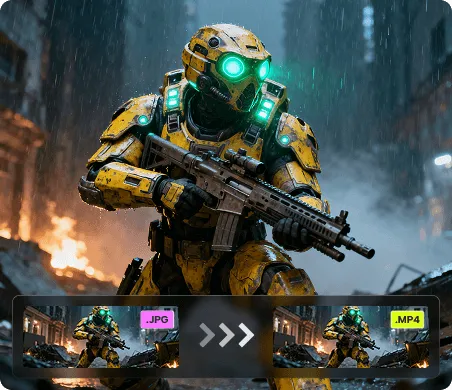
    Image to video
    Image to video→
    Video extension and re-editing
    Video extension and re-editing→
    Explore video effects
    Explore video effects→
    VideoAny AI

    Turn text into vivid moving visuals

    Start with one shot and use VideoAny to explore your next video idea.

    免费试用立即购买